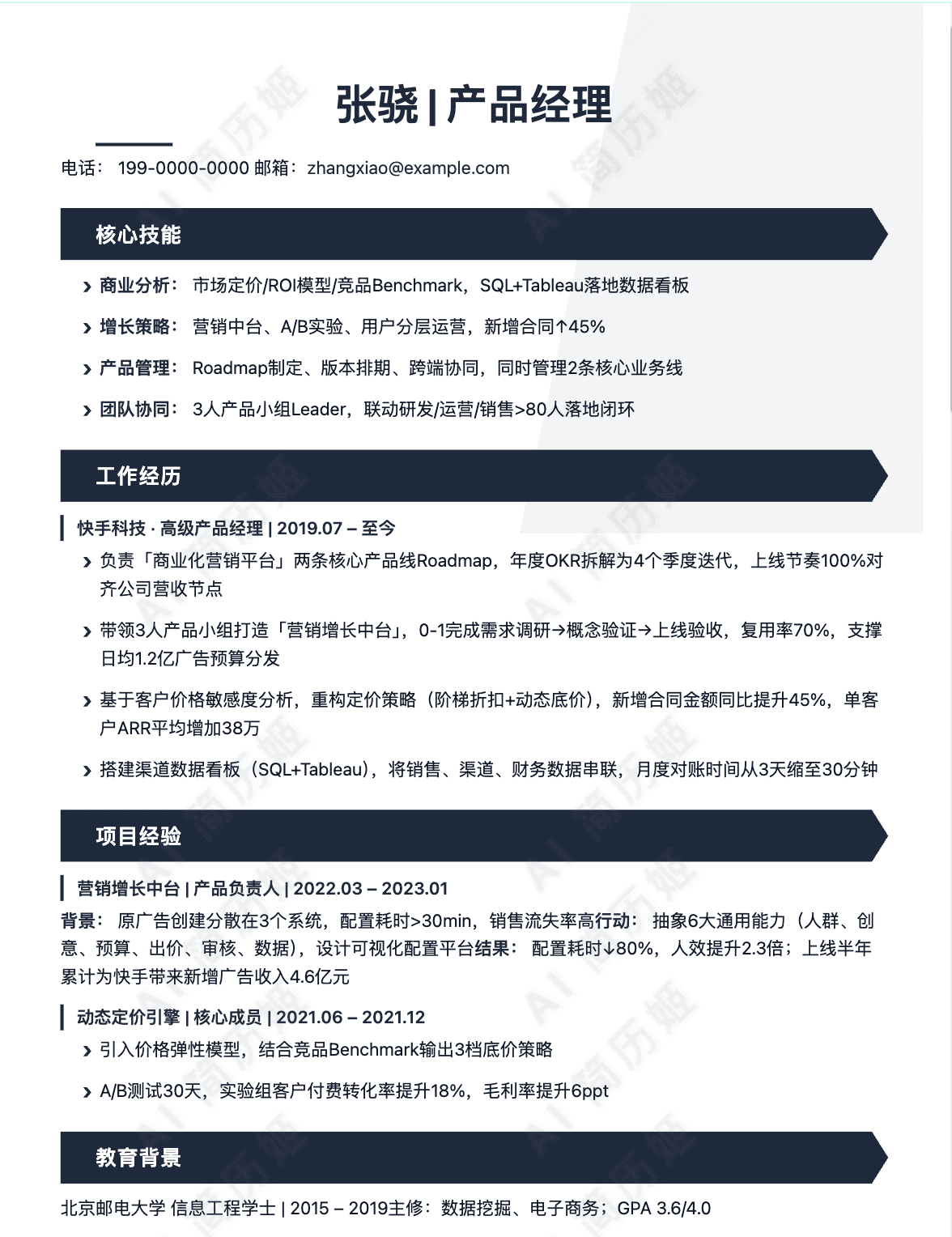
Properly Format Your Graphic Designer Resume
Your resume's format is the first demonstration of your design sensibility and attention to detail. It must balance aesthetic appeal with professional clarity and technical functionality. A well-formatted resume is easy to read, strategically organized, and passes through digital filters to reach human eyes.
Resume Length: Keep It Concise
For most graphic designers, a one-page resume is the standard and expected length. This forces you to prioritize your most relevant and impressive work. Use a two-page resume only if you have 10+ years of extensive, varied experience or an extensive list of major publications, exhibitions, or awards. Recruiters spend seconds on an initial scan, so every inch must count.
Choosing the Right Resume Format
The format you choose structures your narrative. For graphic designers, the combination (or hybrid) format is often most effective.
Chronological: Lists work experience in reverse chronological order. Best for those with a clear, upward career trajectory in the field.
Functional: Focuses on skills and abilities over work history. Useful for career changers or those with employment gaps, but can raise red flags for recruiters.
Combination/Hybrid: This is the recommended choice. It starts with a strong skills section and a professional summary, followed by a chronological work history. It allows you to highlight your design toolkit upfront while providing the expected timeline of experience.
Typography, Margins, and Spacing
Your typographic choices must prioritize readability. Use a clean, professional sans-serif font (or a highly legible serif for a classic feel). Maintain consistency in heading sizes and body text. Margins should be no smaller than 0.5 inches and no larger than 1 inch; 0.75 inches is often a safe, balanced choice. Use white space strategically to create visual breathing room and guide the reader's eye—this is a key design principle in action.
File Format: Always Submit a PDF
Unless the job posting specifically requests a .DOCX file, always submit your resume as a PDF. A PDF preserves your exact formatting, fonts, and layout across any device or operating system. It presents your resume as a finished, professional document. Before sending, ensure all text in your PDF is selectable (not just an image) for ATS parsing.
ATS Optimization Basics
Many companies use Applicant Tracking Systems (ATS) to scan and rank resumes before a human sees them. To pass the ATS: Use standard section headings (e.g., "Work Experience," "Skills," "Education"), incorporate keywords from the job description naturally, avoid headers/footers for critical info, and do not use text boxes, columns, or graphics for essential content. Simplicity is key for ATS parsing.
Good Formatting Example: Resume Header
Senior Graphic Designer
alex.chen@email.com | (123) 456-7890 | linkedin.com/in/alexchen | behance.net/alexchen
Portland, OR
This example uses a clean, bold name, a clear title, and all essential contact links on one line with simple dividers. It's scannable, professional, and ATS-friendly.
Bad Formatting Mistakes to Avoid
2. Inconsistent spacing where the gap between "Education" and the previous section is 24pt, but between "Skills" and "Experience" is only 12pt. It creates a visually jarring, unbalanced layout.
3. Sending a resume saved as a JPG/PNG image file or embedding critical text inside a non-text vector shape in a PDF, making it invisible to an ATS.
One‑click format & basics check
Auto‑check contacts, links and layout; generate an ATS‑friendly header.
Write a Strong Graphic Designer Resume Summary or Objective
Summary vs. Objective: What's the Difference?
A resume summary is a brief overview of your career achievements, skills, and the value you offer. It's best for professionals with relevant experience. An resume objective states your career goals and what you aim to achieve in a role. It's typically used by those new to the field, such as recent graduates or career changers.
When to Use a Summary or an Objective
Use a summary if you have one or more years of professional graphic design experience, a portfolio of work, and specific accomplishments. Use an objective if you are entering the job market, transitioning from a different field, or have very limited direct experience. Your objective should focus on your relevant skills, education, and enthusiasm.
Key Elements to Include
Whether writing a summary or objective, include these core elements: your years of experience (if any), core competencies (e.g., branding, UI/UX, Adobe Creative Suite), and a value proposition (what you can do for the employer). Mention specific industries or project types if relevant. Quantify achievements whenever possible (e.g., "designs that increased social engagement by 25%").
Optimal Length and Structure
Keep your statement concise and scannable, ideally 2-4 sentences or 3-5 lines of text. Start with a powerful adjective describing your professional approach (e.g., "Creative and detail-oriented..."). Follow with your experience/skills, and conclude with your goal or the value you bring. Avoid first-person pronouns ("I," "me") to sound more professional.
How to Tailor It to the Job
Carefully review the job description and identify keywords. Incorporate the specific skills (e.g., "motion graphics," "print production"), software (e.g., "Figma," "After Effects"), and design focus (e.g., "marketing collateral," "product packaging") mentioned in the posting. Mirroring this language helps your resume pass through Applicant Tracking Systems (ATS) and shows the hiring manager you're a precise fit.
Good Examples
Bad Examples to Avoid
Generate skills list / summary
Extract hard/soft skills from the JD and create 3 summary variants.
Include Your Best Hard and Soft Skills as a Graphic Designer
A compelling skills section is the backbone of any graphic designer's resume. It quickly shows recruiters you have the right technical expertise and professional qualities for the job. This section should clearly distinguish between your hard skills (technical, teachable abilities) and soft skills (interpersonal and behavioral traits). A balanced presentation of both is crucial for demonstrating you can both execute beautiful work and collaborate effectively within a team.
Essential Hard Skills for Graphic Designers
Hard skills are the tangible, technical proficiencies you use daily. You should list 8-12 of the most relevant skills, being specific about the tools and technologies you master. This list should evolve with industry trends.
- Adobe Creative Suite Mastery: Proficiency in Illustrator (vector graphics), Photoshop (photo editing/compositing), and InDesign (page layout).
- UI/UX & Web Design Principles: Knowledge of wireframing, prototyping, user flows, and responsive design.
- Typography: Expertise in font pairing, hierarchy, kerning, and selecting typefaces for brand identity.
- Print & Digital Production: Understanding of CMYK/RGB, bleed, trim, resolution, and file formatting for various outputs.
- Branding & Identity Systems: Ability to develop logos, style guides, and cohesive visual assets across platforms.
- Motion Graphics & Animation: Skills in After Effects or similar tools to create engaging animated content.
- Digital Illustration: Ability to create original artwork, icons, and graphics using tablets and software.
- Front-End Basics: Familiarity with HTML/CSS to effectively collaborate with developers.
- Photo Editing & Retouching: Advanced skill in color correction, compositing, and image manipulation.
- Design Software: Experience with Figma, Sketch, or Adobe XD for collaborative interface design.
Critical Soft Skills for Graphic Designers
Soft skills determine how you work, solve problems, and interact with others. They are often what sets a good designer apart. Include 4-6 of these that genuinely reflect your work style.
- Communication & Presentation: Clearly articulating design concepts and rationale to clients and team members.
- Creativity & Problem-Solving: Generating innovative visual solutions that meet strategic business objectives.
- Time Management & Organization: Juggling multiple projects, meeting deadlines, and maintaining an organized workflow.
- Adaptability & Continuous Learning: Willingness to embrace feedback, learn new tools, and adapt to changing trends.
- Attention to Detail: A keen eye for alignment, consistency, color, and pixel-perfect precision.
- Collaboration & Teamwork: Working effectively with marketers, writers, developers, and other designers.
How to Organize Your Skills Section
A categorized format is far more effective than a simple list. It improves readability and helps scanners find key terms instantly. Group your hard skills into logical subcategories and list soft skills separately.
SKILLS
Design & Software: Adobe Creative Suite (Illustrator, Photoshop, InDesign), Figma, Sketch, After Effects, Procreate
UI/UX & Web: Wireframing, Prototyping, Responsive Design, HTML/CSS Basics
Core Design Principles: Typography, Color Theory, Layout & Composition, Brand Identity, Print Production
Soft Skills: Client Communication & Presentation, Creative Problem-Solving, Cross-Functional Collaboration, Time Management, Adaptability
SKILLS
Photoshop, Illustrator, Creative, Team Player, Good Communicator, InDesign, Microsoft Office, Detail-Oriented, Fast Learner, Canva, Typography
Matching Skills with Job Description Keywords
Carefully review the job description and mirror its language. If a job requires "UI/UX design with Figma," use those exact terms. This strategy helps you pass through Applicant Tracking Systems (ATS) and shows the hiring manager you're a precise fit for *their* specific needs.
Job Description Asks For: "Design marketing collateral and social media graphics using Adobe Creative Cloud. Must have strong typography skills and collaborate with the marketing team."
Your Skills Section Includes: "Adobe Creative Cloud (Photoshop, Illustrator, InDesign); Marketing Collateral Design; Social Media Graphics; Typography & Hierarchy; Cross-Departmental Collaboration"
Job Description Asks For: "Design marketing collateral and social media graphics using Adobe Creative Cloud. Must have strong typography skills and collaborate with the marketing team."
Your Skills Section Includes: "Graphic Design, Adobe, Making pretty things, Teamwork, Word, PowerPoint"
AI‑assisted bullet quantification
Rewrite bullets using STAR/metrics and auto‑fill numbers and verbs to highlight impact.
Describe Your Work Experience and Key Projects as a Graphic Designer
Senior Graphic Designer | BrandVision Inc. | San Francisco, CA | Jan 2021 – Present
Lead visual strategy for a B2B tech company's rebranding and ongoing marketing initiatives, managing a junior designer.
Graphic Designer | GreenLeaf Organics | Austin, TX | Jun 2018 – Dec 2020
Supported the marketing team for an organic food retailer by creating digital and print assets to drive customer acquisition and brand loyalty.
Junior Graphic Designer | Spark Creative Agency | Chicago, IL | Aug 2016 – May 2018
Assisted senior designers on multi-channel campaigns for clients in the hospitality and non-profit sectors.
Examples of Poor Work Experience Descriptions
Highlighting Key Projects Within Work Experience
Integrate key projects seamlessly into your bullet points using the CAR/STAR method to provide compelling context.
Project experience quantifier
Split goals, actions and results; auto‑suggest metrics and format project cards.
Include Action Words to Make Your Graphic Designer Resume Pop
In a competitive job market, your graphic design resume needs to do more than list duties; it must showcase your active contributions and impact. Strategic use of action verbs is crucial for two reasons: First, they help your resume pass through Applicant Tracking Systems (ATS), which scan for keywords that indicate competency. Second, they capture a recruiter's attention by painting a vivid picture of your skills, initiative, and results, transforming a static list into a dynamic story of your career.
Categorized Action Verbs for Graphic Designers
Organize your experience bullets by starting with a powerful verb. Here are categories and verbs tailored to graphic design roles:
Leadership & Management: Directed, Led, Mentored, Orchestrated, Supervised, Championed, Coordinated
Technical Implementation: Designed, Developed, Produced, Executed, Rendered, Prototyped, Animated, Programmed, Edited
Problem-Solving: Resolved, Streamlined, Simplified, Restructured, Troubleshot, Reconciled, Debugged
Collaboration: Collaborated, Partnered, Liaised, Consulted, Presented, Co-authored, Unified
Achievement & Impact: Increased, Reduced, Enhanced, Grew, Boosted, Expanded, Secured, Won, Generated
Analysis & Research: Analyzed, Researched, Audited, Identified, Evaluated, Surveyed, Assessed
Innovation: Innovated, Pioneered, Introduced, Revitalized, Transformed, Redesigned, Conceptualized
Avoiding Repetition and Weak Language
Using "Designed" or "Created" for every bullet point dilutes your impact. Scan your resume for overused verbs and replace them with more specific alternatives from the categories above. More importantly, avoid weak, passive language like "Responsible for," "Helped with," or "Worked on." These phrases are vague and shift focus away from your direct actions and achievements.
Before and After: Transforming Bullet Points
Weak: Was responsible for making social media graphics.
Strong: Designed and produced a suite of 50+ engaging social media graphics, increasing audience engagement by 25%.
Weak: Helped with the company rebrand.
Strong: Collaborated with the marketing team to conceptualize and execute a full company rebrand, including logo, typography, and brand guidelines.
Weak: Did website mockups for clients.
Strong: Developed interactive UI/UX mockups and presented design rationale to clients, securing approval on 95% of projects.
Weak: Worked on packaging designs.
Strong: Streamlined the packaging design process, reducing production time by 15% while enhancing shelf appeal.
Weak: Made illustrations for marketing materials.
Strong: Illustrated custom graphics and icons that unified visual communication across all print and digital marketing materials.
Examples of Strong Action Verb Usage
1. Leadership: "Mentored two junior designers, providing constructive feedback that enhanced team output and project consistency."
2. Technical & Impact: "Developed and animated explainer videos that boosted product tutorial completion rates by 40%."
3. Problem-Solving: "Analyzed user feedback to redesign the checkout flow, reducing cart abandonment by 18%."
4. Innovation & Achievement: "Pioneered the use of 3D modeling in our design pipeline, generating innovative assets that won industry awards."
3 summary versions in seconds
Combine role highlights and strengths to generate concise, confident and specific summaries.
Make Your Education Section Count
Your education section is more than just a formality; it's a chance to showcase foundational knowledge, specialized skills, and academic excellence. For graphic designers, how you present this information can significantly impact a hiring manager's first impression.
Essential Information to Include
At a minimum, list your degree, major, university name, and graduation date. Present this information in a clear, scannable format, typically in reverse-chronological order (most recent first).
University of Creative Arts, Anytown, USA
Expected Graduation: May 2026
Strategic Placement: Top or Bottom?
Where you place your education section depends on your career stage. Recent graduates or career changers with less than 3-5 years of experience should place it near the top, right after the summary/objective. This highlights your most relevant recent training. Experienced professionals with a robust portfolio and work history should place it near the bottom, as your professional achievements now carry more weight.
Enhancing Your Entry-Level Education Section
If you're new to the field, bolster your education with details that demonstrate applied skills. Include a "Relevant Coursework" bullet point list and mention significant projects or thesis work.
Relevant Coursework: Typography & Layout, Brand Identity Systems, UI/UX Design Principles, Motion Graphics, Packaging Design
Senior Thesis Project: Developed a comprehensive rebranding campaign for a local non-profit, including logo, style guide, and mock social media assets.
GPA, Honors, and Awards
Including your GPA is recommended only if it is 3.5 or higher on a 4.0 scale. Otherwise, it's best omitted. Always include academic honors, scholarships, or awards (e.g., Dean's List, design competition wins) as they provide third-party validation of your talent and work ethic.
Recipient of the "Excellence in Visual Communication" Award, 2023
Format for Experienced Designers
Seasoned designers should keep this section concise, focusing on degrees and any recent, high-level certifications. The space is better used detailing professional accomplishments.
B.A., Communication Design – Parsons School of Design
Examples of Poor Education Sections
Here are common mistakes to avoid when listing your education.
(No degree specified, no major, unclear timeline.)
Went to college and studied design stuff. Took lots of art classes.
(Unprofessional language, vague details, no school name.)
(Including a low GPA unnecessarily draws attention to a weakness.)
Bachelor's Degree
(Listing the date before the degree and using a generic degree title makes the information hard to parse quickly.)
Auto‑format education & certifications
Normalize titles, dates and bullets — ATS‑safe by default.
Select the Perfect Extra Sections for Your Graphic Designer Resume
While your core resume sections—experience, skills, and education—tell the main story, strategically chosen extra sections can provide crucial context, demonstrate passion, and set you apart from other candidates. These optional areas are your chance to showcase the full spectrum of your professional identity.
Recommended Extra Sections to Elevate Your Application
Consider adding one or two of the following sections if they are relevant and add substantive value to your candidacy.
1. Technical Projects
This section is ideal for entry-level designers, career changers, or anyone who has completed significant self-directed or academic work. Use it to detail a complex website you built, a branding project for a fictional company, or a detailed case study of a design challenge you solved. Format it like your work experience: include the project name, your role, dates, and 2-3 bullet points describing the tools used, creative process, and outcome.
2. Publications & Speaking
For senior or expert-level designers, this section establishes thought leadership and industry recognition. List articles you've authored for design blogs, features in industry publications, or presentations given at conferences, meetups, or webinars. Include the title, publication/event name, and date. This demonstrates your ability to contribute to the wider design community and articulate complex ideas.
3. Languages
Including languages is highly recommended if you are fluent or proficient in more than one, especially if applying to global companies, agencies with international clients, or roles where communication with diverse teams is key. Clearly state your proficiency level (e.g., Native, Fluent, Professional Working Proficiency). Even conversational skills can be a valuable asset in collaborative environments.
4. Professional Affiliations
Listing memberships in organizations like AIGA, the Graphic Artists Guild, or other design societies shows a commitment to your profession and a desire for continuous learning. It can also signal your awareness of industry standards and ethics. Simply list the organization name and, if applicable, your membership level or any leadership roles you've held within the group.
5. Volunteer Experience
Include volunteer or pro-bono design work only if it is professionally relevant and showcases applicable skills. Designing a logo for a local animal shelter or building a website for a non-profit demonstrates initiative and allows you to include real-world projects you might not have from paid work. Format it like a job entry, focusing on the design work and impact, not just the charitable cause.
Sections to Avoid on Your Graphic Designer Resume
Be selective and professional. Generally avoid: "Hobbies & Interests" unless they are directly and impressively relevant (e.g., letterpress printing, UI design for mods in a game). "References Available Upon Request" is outdated and uses valuable space; employers assume you will provide them. An "Objective" statement is often redundant with your portfolio and cover letter; use a powerful "Professional Summary" instead. Finally, never include personal information like your marital status, photograph (unless specifically requested in your region), or unrelated past jobs that don't contribute to your narrative as a designer.
Pitfalls check
Detect formatting/wording pitfalls and suggest instant rewrites and formatting.
How to Tailor Your Graphic Designer Resume for a Specific Job Description
A generic resume is a common reason for rejection in the competitive field of graphic design. Hiring managers look for candidates who have taken the time to demonstrate a direct fit for their specific role. Tailoring your resume for each application is the most effective strategy to pass Applicant Tracking Systems (ATS) and capture human attention.
Step-by-Step Tailoring Process
1. Analyze the Job Description
Don't just skim; dissect the job posting. Highlight or note all action verbs, software requirements (e.g., "Proficient in Adobe Creative Suite, specifically Illustrator and InDesign"), specific design disciplines (e.g., "web design," "brand identity," "print production"), and soft skills (e.g., "collaborate with marketing team," "manage multiple deadlines"). Separate "must-haves" from "nice-to-haves" to prioritize your matching efforts.
2. Map Your Experience
Create a direct line between the job's requirements and your accomplishments. For each key requirement, identify a specific project, role, or task in your background that proves you have that skill. Quantify results where possible (e.g., "Designed email campaigns that increased click-through rates by 15%") to add concrete value.
3. Customize Key Sections
Infiltrate the keywords and phrases from the job description into your resume's core sections. Start with a tailored professional summary that mirrors the job's primary focus. Revamp your skills section to list the exact software and competencies mentioned. Rewrite bullet points in your work experience to reflect the language and priorities of the new role.
Example: Generic vs. Tailored Resume Bullet
Generic: Created graphics for social media.
Tailored for a job requiring "brand-consistent social content" and "engagement growth": Designed a suite of 30+ on-brand Instagram templates and static posts, contributing to a 25% increase in follower engagement over two quarters.
Common Mistakes to Avoid
Over-Tailoring or Misrepresentation: Never claim expertise in a tool or skill you lack. You can list a beginner skill if you're actively learning, but be prepared to discuss it honestly. Tailoring is about framing your genuine experience, not fabricating it.
Keyword Stuffing: Naturally integrate keywords into full sentences. A list of disconnected terms looks spammy to both ATS and recruiters.
Forgetting to Proofread: After customizing, carefully proofread. Leaving another company's name or a mismatched detail is a surefire way to get disqualified.
The Final Check
Before submitting, ask yourself: "If someone read only this resume and the job description, would they immediately see the connection?" Your goal is to make the reviewer's job easy by presenting yourself as the obvious, qualified candidate they are looking for.
Pick the right template and apply
Recommend templates by industry and seniority; auto‑map existing content.
Graphic Designer Resume Examples (Complete Samples)
Apply example in one click
Pick an example and auto‑adapt to your experience and skills.
Frequently Asked Questions (FAQ)
1. How long should a Graphic Designer resume be?
For most designers, a one-page resume is ideal and expected. It forces you to be concise and highlight only your strongest work. Senior designers with over 10-15 years of highly relevant experience may extend to two pages, but the portfolio is where depth is shown.
2. What's the best format for a Graphic Designer resume?
A hybrid or combination format is often best, blending a strong skills section with chronological work history. Avoid overly complex layouts that hinder Applicant Tracking Systems (ATS). Use clean typography, strategic white space, and subtle design elements that reflect your personal brand without sacrificing readability.
3. Should I include a photo on my Graphic Designer resume?
Generally, no. In many countries, it's discouraged to avoid potential bias. Your visual identity should be communicated through your resume's typography, layout, and accompanying portfolio link. Focus the space on your skills and achievements instead.
4. What are the most important technical skills to include?
Always list industry-standard software (e.g., Adobe Creative Suite: Photoshop, Illustrator, InDesign; Figma). Tailor this list to the job description. Also, include relevant skills like UI/UX principles, typography, print production, motion graphics (After Effects), or HTML/CSS if applicable.
5. Should I list soft skills on my resume?
Yes, but demonstrate them, don't just list them. Instead of "good communicator," write "Collaborated with marketing team to translate campaign briefs into 3 visual concepts." Showcase skills like creative problem-solving, client presentation, and time management through your experience bullet points.
6. How should I describe my work experience?
Use strong action verbs (Designed, Conceptualized, Art Directed) and quantify results where possible. For example: "Designed social media graphics that increased engagement by 25%." Focus on the impact of your design work, not just the tasks you performed.
7. What kind of projects should I include if I'm freelance or have gaps?
Create a dedicated "Projects" or "Selected Freelance Work" section. Treat each significant project like a job, listing the client/objective, your role, and the outcomes. This demonstrates continuous skill application and can effectively fill chronological gaps with relevant activity.
8. How do I write a Graphic Designer resume with no professional experience?
Lead with a strong skills section and an education/projects section. Include academic projects, passion projects, pro-bono work, and detailed case studies from your portfolio. Highlight any relevant coursework, internships, or volunteer work that required design thinking.
9. Should I include my GPA on my resume?
Only if you're a recent graduate (within 3 years) and your GPA is 3.5 or higher. Once you have professional experience, your work history and portfolio become far more important. Omit it to free up space for more impactful content.
10. What if I'm changing careers to become a Graphic Designer?
Use a functional or hybrid resume format to emphasize transferable skills. Create a powerful summary highlighting your design transition and passion. Showcase a robust portfolio of completed projects (even self-initiated) and any relevant certifications or coursework to prove your commitment and skill.
11. How many years of work history should I include?
Typically, include the last 10-15 years of relevant experience. For earlier roles, simply summarize them (e.g., "Earlier career includes graphic design roles at Agency X and Studio Y"). This keeps the focus on your most current and advanced work.
12. Is an objective statement or summary better?
A professional summary is almost always stronger. In 2-3 lines, state your title, years of experience, key specializations, and a notable achievement or skill focus. For example: "Award-winning Graphic Designer with 8+ years specializing in brand identity and packaging design for consumer goods."