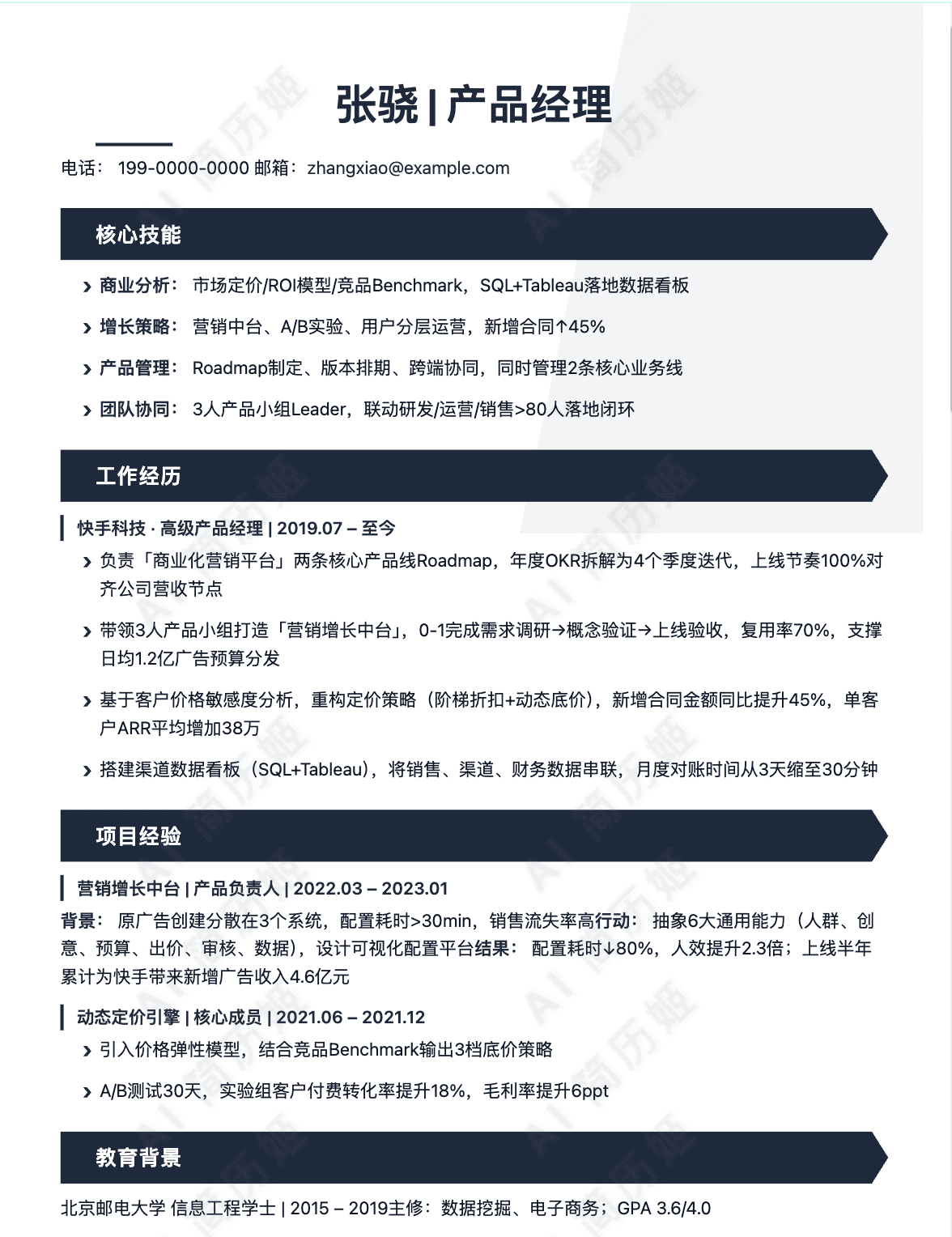
Properly Format Your UX/UI Designer Resume
As a UX/UI designer, your resume is your first user interface test. It must be scannable, accessible, and visually harmonious. Proper formatting ensures your content is received clearly by both human recruiters and automated systems.
Resume Length: The One-Page Standard
For most designers, especially those with under 10 years of experience, a one-page resume is the expectation. It forces conciseness and demonstrates your ability to prioritize information. A two-page resume is acceptable for senior designers with extensive portfolios, leadership roles, or numerous significant projects. Never exceed two pages.
Recommended Resume Format
The Combination (or Hybrid) Format is ideal for UX/UI designers. It blends the chronological format's clear work history with the functional format's emphasis on skills.
Structure: Start with a professional summary, followed by a core competencies/skills section grouped by theme (e.g., User Research, UI Design, Prototyping). Then, list your professional experience in reverse-chronological order, focusing on achievements and project impact, not just duties.
Typography, Margins, and Spacing
Your typographic choices should reflect professionalism and readability.
Fonts: Use clean, professional, ATS-friendly sans-serif fonts like Helvetica, Arial, Calibri, or Lato. Use a maximum of two font styles (e.g., one for headings, one for body). Body font size should be 11-12pt.
Spacing: Margins should be at least 0.5 inches on all sides. Use white space generously between sections (e.g., 1.5 line spacing between sections, 1.15 within) to create a clean, scannable layout. Use bullet points consistently.
File Format: Always PDF
Always submit your resume as a PDF file (e.g., "Jane_Doe_UX_Resume.pdf"). This preserves your formatting across all devices and operating systems. Never submit editable Word documents (.docx) as they can appear messy on different software and may reveal track changes or comments.
ATS Optimization Basics
Applicant Tracking Systems (ATS) are software used by companies to filter resumes. To pass through:
1. Use standard section headings (e.g., "Work Experience," "Skills," "Education").
2. Avoid headers, footers, text boxes, columns, or graphics that can scramble the parsing.
3. Incorporate keywords from the job description naturally into your skills and experience bullets.
4. Save the PDF with text selectable (not just an image of text).
Good vs. Bad Formatting Examples
Good Header Example:
Senior UX/UI Designer
alex.chen@email.com • (123) 456-7890 • linkedin.com/in/alexchen • alexchendesigns.com
Bad Formatting Mistakes:
2. Inconsistent bullet point styles (mixing circles, squares, dashes) and erratic spacing between lines and sections, creating visual noise.
3. Placing critical contact information inside a header graphic or text box, causing the ATS to miss it entirely.
One‑click format & basics check
Auto‑check contacts, links and layout; generate an ATS‑friendly header.
Write a Strong UX/UI Designer Resume Summary or Objective
The summary or objective is the first substantive text a hiring manager reads on your resume. This brief section, placed directly below your contact information, must immediately capture attention by succinctly presenting your professional identity and value.
Summary vs. Objective: Knowing the Difference
A resume summary is a professional snapshot of your career achievements, skills, and the value you bring. It's best for designers with relevant experience. An resume objective states your career goals, enthusiasm, and relevant skills or education. It's typically used by those new to the field, such as career changers or recent graduates.
When to Use a Summary or an Objective
Use a Summary if: You have 2+ years of professional UX/UI design experience. Focus on past accomplishments and proven impact.
Use an Objective if: You are a recent graduate, career changer, or have very limited direct experience. Focus on your skills, passion, and what you aim to achieve.
Key Elements to Include
Whether summary or objective, include these core components: 1) Your Title & Experience: State your role and years of experience. 2) Core Competencies: Mention 2-3 key skills (e.g., user research, wireframing, prototyping, design systems). 3) Value Proposition: Highlight the impact you create—improving usability, increasing conversion, enhancing user satisfaction. 4) Optional Specialization: Mention an industry (SaaS, FinTech) or focus area (mobile design, accessibility).
Optimal Length and Conciseness
This section should be a powerful elevator pitch, not a biography. Aim for 2 to 4 concise sentences or 3-5 bullet points. Use strong action verbs and quantify achievements where possible (e.g., "increased user engagement by 15%"). Every word should serve a purpose.
How to Tailor It to the Job Posting
Carefully review the job description. Identify keywords related to tools (Figma, Sketch), methodologies (Design Thinking, Agile), and required skills (interaction design, user testing). Mirror this language in your summary/objective. If the role emphasizes "data-driven design," include that phrase. This tailoring passes Applicant Tracking Systems (ATS) and shows genuine interest.
Good Examples
For Experienced Professionals (Resume Summary)
For Entry-Level or Career Changers (Resume Objective)
Bad Examples to Avoid
Too Vague and Generic
Why it's bad: Uses empty adjectives ("creative," "hard worker"), states the obvious, and provides zero specific skills, experience, or value. It's all about what the designer wants, not what they offer.
Overly Focused on Tasks, Not Impact
Why it's bad: Reads like a job description list of tasks. It doesn't communicate *how well* the tasks were done or what the results were. It's passive and lacks achievement-oriented language.
Including Irrelevant Personal Information
Why it's bad: Personal hobbies are irrelevant unless directly tied to the job (e.g., applying to a gaming company). It focuses on personality and personal desires rather than professional qualifications and the employer's needs.
Being Desperate or Unprofessional
Why it's bad: It sounds desperate and unconfident. It positions the candidate as a taker, not a contributor, and shows no understanding of the specific role or design value.
Generate skills list / summary
Extract hard/soft skills from the JD and create 3 summary variants.
Include Your Best Hard and Soft Skills as a UX/UI Designer
A compelling skills section is a critical component of a UX/UI designer's resume. It acts as a quick-reference guide for recruiters, showcasing your technical proficiency and professional demeanor. Clearly distinguishing between hard skills (teachable, measurable abilities) and soft skills (interpersonal and cognitive traits) demonstrates a well-rounded understanding of the role's demands.
Essential Hard Skills for UX/UI Designers
Hard skills are the tangible, technical tools and methodologies you use daily. You should list 8-12 of the most relevant skills, being specific with industry-standard tools and frameworks to pass through Applicant Tracking Systems (ATS).
- User Research & Strategy: Conducting user interviews, surveys, creating personas, and journey maps.
- Information Architecture (IA) & Wireframing: Structuring content, creating sitemaps, and low-fidelity wireframes (using tools like Figma, Sketch, Balsamiq).
- Interactive Prototyping: Building mid-to-high-fidelity, clickable prototypes for user testing (Figma, Adobe XD, Protopie).
- Visual & UI Design: Mastery of design principles (typography, color theory, layout), iconography, and design systems.
- UI Design Tools: Proficiency in Figma (industry standard), Adobe XD, Sketch, and Adobe Creative Suite (Illustrator, Photoshop).
- Usability Testing: Planning, conducting, and synthesizing results from usability testing sessions.
- Responsive & Accessible Design: Designing for all screen sizes and ensuring compliance with WCAG guidelines.
- Design Systems: Creating and maintaining component libraries and style guides for consistency.
- Basic Front-End Literacy: Understanding of HTML, CSS, and JavaScript to facilitate realistic designs and collaboration with developers.
- Data Analysis & UX Metrics: Ability to interpret analytics data (e.g., from Google Analytics) and define success metrics.
Critical Soft Skills for UX/UI Designers
Soft skills determine how effectively you apply your technical knowledge within a team and business context. Include 4-6 of these to show you're a collaborative and adaptable professional.
- Empathy: The cornerstone of UX. The ability to understand and share the feelings of users and stakeholders.
- Communication & Storytelling: Clearly articulating design decisions, presenting research findings, and advocating for the user.
- Collaboration & Teamwork: Working effectively with product managers, developers, and other stakeholders in an agile environment.
- Problem-Solving & Critical Thinking: Moving beyond aesthetics to solve core user problems with logical, evidence-based solutions.
- Receptiveness to Feedback: Actively seeking and constructively incorporating critique without defensiveness.
- Adaptability & Continuous Learning: Keeping pace with rapidly evolving design trends, tools, and technologies.
How to Organize Your Skills Section
A categorized format is vastly superior to a simple list. It improves scannability and helps recruiters immediately find what they're looking for.
Skills
UX/UI Design & Prototyping: User Research & Personas, Wireframing, Interactive Prototyping (Figma, Adobe XD), Design Systems, Usability Testing
Visual Design & Tools: Visual Design Principles, UI Design, Typography, Figma, Adobe Creative Suite (Illustrator, Photoshop)
Technical & Analytical: Responsive Web Design, WCAG Accessibility, HTML/CSS Literacy, Google Analytics, A/B Testing
Professional Skills: User Empathy, Cross-functional Collaboration, Design Thinking, Presentation & Storytelling, Agile/Scrum Methodology
Matching Skills with Job Description Keywords
Always tailor your skills list. Carefully review the job description and mirror its language. If they mention "design systems," "Figma," and "user-centered design," ensure those exact terms are in your skills section. This strategy is crucial for ATS optimization and showing you're a perfect fit.
Common Mistakes to Avoid
Steer clear of these pitfalls that can weaken your resume's impact.
Vague or Subjective Skills: "Creative," "Good eye for design," "Team player." These are assumed and don't provide concrete value.
One Giant List: A single, unorganized block of 20 skills forces the recruiter to hunt for relevant items.
Listing Every Tool Ever Used: Including outdated or irrelevant tools (e.g., "MS Paint") dilutes your expertise. Be current and selective.
Not Proofreading: Misspelling key tools ("Figma" vs. "Figmo") or skills signals a lack of attention to detail.
AI‑assisted bullet quantification
Rewrite bullets using STAR/metrics and auto‑fill numbers and verbs to highlight impact.
Describe Your Work Experience and Key Projects as a UX/UI Designer
Your work experience section is the core of your resume. It should tell a compelling story of growth, impact, and skill application. Structure each role clearly, lead with strong action verbs, and use the CAR/STAR method to frame your contributions. Always quantify your achievements with metrics to provide concrete proof of your value.
Good Examples: Structured & Quantified
Here are examples of well-structured entries for different career levels.
Senior UX/UI Designer | TechFlow Inc. | San Francisco, CA | 2021 – Present
Lead designer for the flagship B2B SaaS platform, serving over 10,000 enterprise users. Focus on simplifying complex data workflows and driving user adoption. Key Project: Data Dashboard Revamp – Spearheaded the redesign of the analytics module, increasing user engagement with key metrics by 150% and reducing time-to-insight by 50% through intuitive data visualization and filtering controls.
UX Designer | GreenBank Financial | Chicago, IL | 2019 – 2021
Member of the digital transformation team responsible for modernizing the mobile banking experience for 2 million+ retail customers. Key Project: Mobile App Redesign – Contributed to the core navigation and information architecture overhaul, which led to a 15-point increase in the app's App Store rating (from 3.2 to 4.7) post-launch.
Bad Examples: Vague and Unimpactful
Avoid these common pitfalls that fail to demonstrate your skills or value.
UX/UI Designer | Some Company | Anytown, USA | 2020 – 2022
Junior Designer | Previous Employer | City, ST | 2018 – 2020
Poor Project Description within a role: "I worked on the checkout page. I changed some buttons and colors. People liked it better." (No process, no metrics, no defined problem or solution.)
Overly Generic: "Designed user-centric interfaces that enhanced satisfaction and increased company revenue." (This is an empty claim without a specific story and numbers to back it up.)
How to Integrate Key Projects
Highlighting specific projects within your work experience provides concrete evidence of your skills. Treat them as mini-case studies embedded in your role description.
Effective Integration: Within the role at TechFlow Inc., the "Data Dashboard Revamp" is called out as a Key Project. It directly supports the bullet points by providing a specific, high-impact example of the work done, complete with metrics. This structure allows you to dive deeper into a flagship project without breaking the flow of your job chronology. Formula: After your bullet points, add a line: "Key Project: [Project Name] – [Brief description using CAR and a key quantifiable result]."
Project experience quantifier
Split goals, actions and results; auto‑suggest metrics and format project cards.
Include Action Words to Make Your UX/UI Designer Resume Pop
In a competitive job market, your resume must immediately communicate your value and expertise. Strategic use of action verbs is crucial for two key reasons: they pass through Applicant Tracking Systems (ATS) that scan for relevant keywords, and they capture the attention of recruiters and hiring managers by painting a vivid picture of your contributions and skills. Weak or passive language can make your experience seem generic, while powerful, specific verbs demonstrate initiative, impact, and professionalism.
Categorized Action Verbs for Every UX/UI Function
To comprehensively showcase your skills, select verbs from these categories that best align with your experience and the job description.
Leadership & Management: Spearheaded, Championed, Directed, Orchestrated, Mentored, Guided, Prioritized, Evangelized
Technical Implementation: Architected, Prototyped, Developed, Built, Implemented, Coded, Translated, Integrated
Problem-Solving: Diagnosed, Resolved, Streamlined, Simplified, Optimized, Remedied, Debugged, Overhauled
Collaboration: Partnered, Aligned, Facilitated, Synthesized, Co-created, Bridged, Liaised, Socialized
Achievement & Impact: Accelerated, Boosted, Elevated, Maximized, Reduced, Increased, Drove, Expanded
Analysis & Research: Analyzed, Synthesized, Validated, Identified, Mapped, Audited, Assessed, Quantified
Innovation: Ideated, Pioneered, Introduced, Innovated, Conceptualized, Transformed, Reimagined, Revitalized
Avoiding Repetition and Weak Language
Using the same verb (like "worked on" or "responsible for") repeatedly dilutes your resume's power. It suggests a limited vocabulary and fails to highlight the nuance of different tasks. Instead, pull from the categories above to create a dynamic and engaging narrative. Focus on replacing weak, passive, or vague phrases with strong, outcome-oriented action verbs.
Before and After: Transforming Your Bullet Points
Weak: Was responsible for doing user research.
Strong: Executed generative user research, synthesizing findings into actionable insights.
Weak: Worked on designing a new mobile app.
Strong: Architected the user experience and crafted the interface for a new mobile app from concept to launch.
Weak: Helped make the checkout process better.
Strong: Streamlined the 5-step checkout process to a single page, reducing cart abandonment by 18%.
Weak: In charge of working with developers.
Strong: Partnered closely with front-end developers to translate designs into a functional product, ensuring pixel-perfect implementation.
Weak: Did usability tests.
Strong: Planned and facilitated moderated usability tests, validating design decisions with real user feedback.
Examples of Strong Action Verb Usage in Context
1. Leadership & Impact: "Spearheaded a cross-functional design system initiative, standardizing components and boosting team design velocity by 30%."
2. Problem-Solving & Results: "Diagnosed critical usability flaws through analytics review and redesigned the navigation, which increased key feature discovery by 25%."
3. Collaboration & Process: "Co-created journey maps with product managers and socialized findings with stakeholders to align the roadmap on user pain points."
4. Research & Strategy: "Pioneered a continuous discovery practice, integrating weekly user interviews to inform the product backlog proactively."
3 summary versions in seconds
Combine role highlights and strengths to generate concise, confident and specific summaries.
Make Your Education Section Count
Your education section is more than just a formality; it's a chance to showcase foundational knowledge and academic excellence. For UX/UI designers, this section can be tailored to highlight relevant skills, methodologies, and creative thinking, especially important for those new to the field.
Essential Information to Include
At a minimum, list your degree, major, university name, and graduation date. This provides a clear and professional snapshot of your academic background.
Structuring: Top vs. Bottom Placement
Recent Graduates (less than 3-5 years experience): Place your Education section near the top, just after your summary. This highlights your most recent and relevant formal training.
Experienced Professionals: Move Education toward the bottom of your resume, after your extensive work history. Keep it concise, focusing on degrees and major certifications.
Enhancing with Relevant Details
For entry-level roles, adding relevant coursework, projects, and academic achievements can bridge the gap between academia and professional practice.
Relevant Coursework: List 3-5 courses that directly relate to UX/UI, such as Human-Computer Interaction, Usability Testing, Visual Design, Information Architecture, or Design Psychology.
Academic Honors & Awards: Include dean's list, design scholarships, or academic honors to demonstrate excellence.
GPA Guideline: Only include your GPA if it is 3.5 or higher on a 4.0 scale. Otherwise, it's best to omit it.
Projects & Thesis: Briefly mention a significant capstone project or thesis, especially if it involved user research, prototyping, and testing for a digital product.
Relevant Coursework: Interaction Design Studio, User-Centered Design, Visual Interface Design, Qualitative Research Methods
Honors: Summa Cum Laude, Dean's List (All Semesters), 'Future of Design' Scholarship Award
Thesis Project: "Accessibility in FinTech: Redesigning a mobile banking app for users with low vision," involving user interviews, journey mapping, and high-fidelity prototyping.
Examples to Avoid
Here are common mistakes that weaken an education section:
Got a degree in graphic design. Learned about Photoshop and users.
Graduated: 2020
GPA: 2.9
Coursework: Calculus I-III, Physics, Data Structures, Operating Systems, Chemistry 101
• Went to college
• Took some design classes
• Made a website once
Anytown Art Institute | Bachelor of Fine Arts | 2012
Anytown High School | Diploma | 2008
Auto‑format education & certifications
Normalize titles, dates and bullets — ATS‑safe by default.
Select the Perfect Extra Sections for Your UX/UI Designer Resume
While your work experience, skills, and portfolio are the core of your resume, strategically chosen extra sections can provide crucial context, demonstrate passion, and help you stand out. These sections should be tailored to your career level and the specific job you're targeting.
Recommended Extra Sections to Enhance Your Resume
1. Technical Projects: This section is ideal for entry-level candidates, career changers, or anyone who wants to showcase initiative and hands-on skills beyond their professional work. Include personal projects, case studies from courses, hackathon entries, or pro-bono work. For each project, briefly state the problem, your role, the tools used, and the outcome or what you learned.
2. Publications & Speaking: This is a powerful section for senior designers, thought leaders, or specialists. Listing articles you've written (on Medium, your blog, or industry sites), podcasts you've been featured on, or conferences/meetups where you've presented establishes your expertise and commitment to the community. Include the title, platform/event, and date.
3. Languages: In today's global and remote job market, fluency in additional languages is a valuable asset. Clearly state your proficiency level (e.g., Native, Fluent, Professional Working Proficiency, Conversational). Only include if it's at a conversational level or higher, unless the job posting specifically mentions a language as a requirement.
4. Professional Affiliations: Membership in organizations like the Interaction Design Foundation (IxDF), AIGA, or UXPA shows you are engaged with the broader design community. You can simply list the organization names and the years you've been a member. If you hold a leadership role (e.g., "Local Chapter Lead"), be sure to highlight it.
5. Volunteer Experience: Include this if the work utilizes your UX/UI skills (e.g., designing a website for a non-profit) or demonstrates values aligned with the company's mission. It humanizes your application and shows well-roundedness. Format it like a work experience entry, focusing on your contributions and impact.
How to Format Additional Sections Professionally
Keep extra sections concise and scannable. Place them after your core sections (Experience, Skills, Education). Use consistent formatting—bold titles, clear dates, and bullet points for descriptions where appropriate. The goal is to provide complementary information without cluttering the document. Only include sections that add genuine value and are relevant to the role.
Sections to AVOID on Your UX/UI Resume
Objective Statement: This is largely obsolete. Replace it with a strong "Professional Summary" or "Profile" that highlights your value proposition.
References Available Upon Request: This is assumed and wastes valuable space. Have a separate document ready if requested.
Irrelevant Hobbies: Unless a hobby directly showcases a relevant skill (e.g., photography for visual design, woodworking for understanding physical affordances), it typically doesn't belong on a professional resume.
An Unprofessional Email Address: Your contact information is not a "section," but ensure your email is simple and professional (firstname.lastname@domain.com).
Full Mailing Address: City and state/country are sufficient for location context. A full street address is unnecessary and a privacy concern.
Pitfalls check
Detect formatting/wording pitfalls and suggest instant rewrites and formatting.
How to Tailor Your UX/UI Designer Resume for a Specific Job Description
In a competitive field like UX/UI design, a generic resume is often a missed opportunity. Tailoring your resume for each application is the most effective way to demonstrate you are the perfect fit. It shows you've done your research, understand the company's needs, and have the precise skills to solve their problems. This process moves your application from "qualified" to "highly relevant."
Reading and Analyzing Job Descriptions Effectively
Don't just skim the job description; dissect it. Look beyond the job title. Read it multiple times, highlighting or noting key phrases. Pay close attention to the company's description of its mission, culture, and the specific problems they're trying to solve with this hire. Identify the core responsibilities, the tools they use (e.g., Figma, Sketch, Adobe XD, specific prototyping tools), and the soft skills they emphasize (e.g., "collaborate with cross-functional teams," "advocate for user needs"). This deep analysis forms the blueprint for your tailored resume.
Identifying Key Requirements and Qualifications
Separate the "must-haves" from the "nice-to-haves." Must-haves are often non-negotiable, like proficiency in specific design software, experience with user research methodologies, or a minimum number of years in a similar role. Nice-to-haves might include experience in a particular industry (e.g., fintech, healthcare) or knowledge of front-end development. Your goal is to ensure your resume clearly and prominently addresses every must-have qualification, while strategically incorporating the nice-to-haves where possible.
Matching Your Experience to Job Requirements
This is the core of tailoring. For each key requirement in the job description, find a corresponding achievement or responsibility from your past roles. Don't just list your duties; reframe them to echo the language of the job posting. If the job asks for "improving user conversion rates," your bullet point shouldn't just say "designed new screens." It should say, "Redesigned checkout flow, resulting in a 15% increase in conversion rate through iterative prototyping and A/B testing." This direct mapping proves your experience is applicable.
Customizing Resume Summary and Keywords
Your professional summary is prime real estate. Rewrite it for each application to immediately connect your top skills to the company's top needs. Incorporate keywords from the job description naturally. If they seek a "user-centric designer experienced in design systems for SaaS products," your summary should include phrases like "user-centric UX/UI designer" and "extensive experience building scalable design systems for SaaS platforms." This helps with both human readers and Applicant Tracking Systems (ATS).
Avoiding Over-Tailoring or Misrepresenting Skills
Tailoring is about highlighting relevant skills, not inventing them. Never claim proficiency in a tool or methodology you don't genuinely possess. Over-tailoring can make your resume feel inauthentic and may trip you up in an interview. The goal is to present the most relevant version of your true professional self, not to create a fictional candidate. Be honest, but strategic in your presentation.
Step-by-Step Process for Tailoring Your Resume
1. Analyze the Job Description: Extract keywords, core responsibilities, required skills, and company culture cues. Create a simple list.
2. Map Your Experience: Go through your master resume and tag bullets or projects that align with each item on your list from step one.
3. Customize Key Sections: Rewrite your summary, reorder your skills section to prioritize relevant tools, and refine your work experience bullets to mirror the job's language and priorities.
Good Practice: Before and After Example
Generic Bullet Point (Before):
"Designed wireframes and prototypes for mobile app."
Tailored Bullet Point (After - for a job seeking "data-driven design" and "collaboration"):
"Collaborated with product managers and data analysts to translate user stories and A/B test results into wireframes and interactive prototypes, leading to a 20% reduction in user task completion time."
Bad Practice: Common Mistakes in Resume Tailoring
• Keyword Stuffing: Forcing too many keywords unnaturally, making the text hard to read.
• Ignoring the Company's Voice: Not adapting your language to match the company's formal or casual tone.
• One-Way Tailoring: Only focusing on what the company wants without showcasing your unique value and design philosophy.
• Forgetting to Proofread: Introducing typos or leaving another company's name in your customized summary.
• Saving Every Version as "resume_final_v2.pdf": Always save your tailored resume with a clear name, like "FirstName_LastName_Company_UXResume.pdf."
Pick the right template and apply
Recommend templates by industry and seniority; auto‑map existing content.
UX/UI Designer Resume Examples (Complete Samples)
Apply example in one click
Pick an example and auto‑adapt to your experience and skills.
Frequently Asked Questions (FAQ)
How long should a UX/UI Designer resume be?
For most professionals, one page is ideal. Senior designers with over 10 years of highly relevant experience may extend to two pages. The key is conciseness; prioritize quality and relevance over quantity to ensure a hiring manager can quickly grasp your value.
What's the best format for a UX/UI Designer resume?
A reverse-chronological format is the standard and most recommended. It lists your most recent experience first, clearly showing career progression. While a creative role, prioritize scannability and ATS (Applicant Tracking System) compatibility over overly visual layouts for your initial application.
Should I include a photo on my UX/UI Designer resume?
No, you should not include a photo on your resume in most regions like the US, Canada, and the UK. It can introduce unconscious bias and is not standard practice. Let your portfolio and work experience be the focus of your application.
What are the most important technical skills to include on a UX/UI Designer resume?
Include industry-standard tools like Figma, Sketch, Adobe XD, and prototyping software. Also list relevant skills in user research (e.g., usability testing, interviews), wireframing, information architecture, and interaction design. Tailor this list to the specific job description.
How do I showcase soft skills on my resume?
Demonstrate soft skills through achievements in your work experience bullets, don't just list them. For example, instead of writing "good communicator," write "Collaborated with product managers and engineers to align on user stories, reducing rework by 20%."
How should I describe my work experience and projects?
Use the STAR (Situation, Task, Action, Result) or similar framework. Focus on your process and impact. For example: "Redesigned the checkout flow (Action) to reduce user friction, resulting in a 15% increase in conversion (Result)." Quantify your achievements whenever possible.
Should I include personal or conceptual projects?
Yes, especially if you are entry-level or changing careers. Treat them with the same professionalism as client work. Clearly describe the problem, your design process, and the outcome. This demonstrates initiative and practical application of your skills.
How many years of work history should I include?
Typically, include the last 10-15 years of relevant experience. For earlier roles that are not directly related to UX/UI, you can summarize them in a single line or omit them entirely to save space and maintain focus on your design career.
How do I write a UX/UI Designer resume with no professional experience?
Lead with a strong summary, relevant skills, and a detailed projects section. Include academic projects, freelance work, pro-bono designs, and conceptual case studies. Highlight any transferable skills from previous roles, such as research, analysis, or collaboration.
Should I include my GPA on my UX/UI Designer resume?
Only include your GPA if you are a recent graduate (within the last 2-3 years) and it is 3.5 or higher. Once you have professional design experience, your portfolio and work achievements become far more important than your academic grades.
What if I'm changing careers to become a UX/UI Designer?
Create a hybrid resume format. Start with a compelling summary explaining your transition. Emphasize transferable skills (e.g., project management, user advocacy, problem-solving) from your past career. Then, showcase your new UX/UI skills through a prominent projects section, coursework, and certifications.
How important is a portfolio link, and where should I place it?
It is critical. Your portfolio is your primary evidence of skill. Place a clickable link to your online portfolio at the very top of your resume in the header, alongside your name, email, and LinkedIn URL. Ensure the link is clean and works perfectly.